Introducing PlainDay: today, on one plain page
Why we built a day planner around one list, what PlainDay does today, and three small ideas in it: counts, honest skips and reminders that stop.
Day planner · Android and web
PlainDay keeps your tasks, habits and hours in one calm list. Tick things off, count the ones you do many times a day, and skip what will not happen without losing it.
Free while in beta. No ads. No account needed.
Today
Try it. This list works.
1 of 5 done · 1h 45m left
07:00
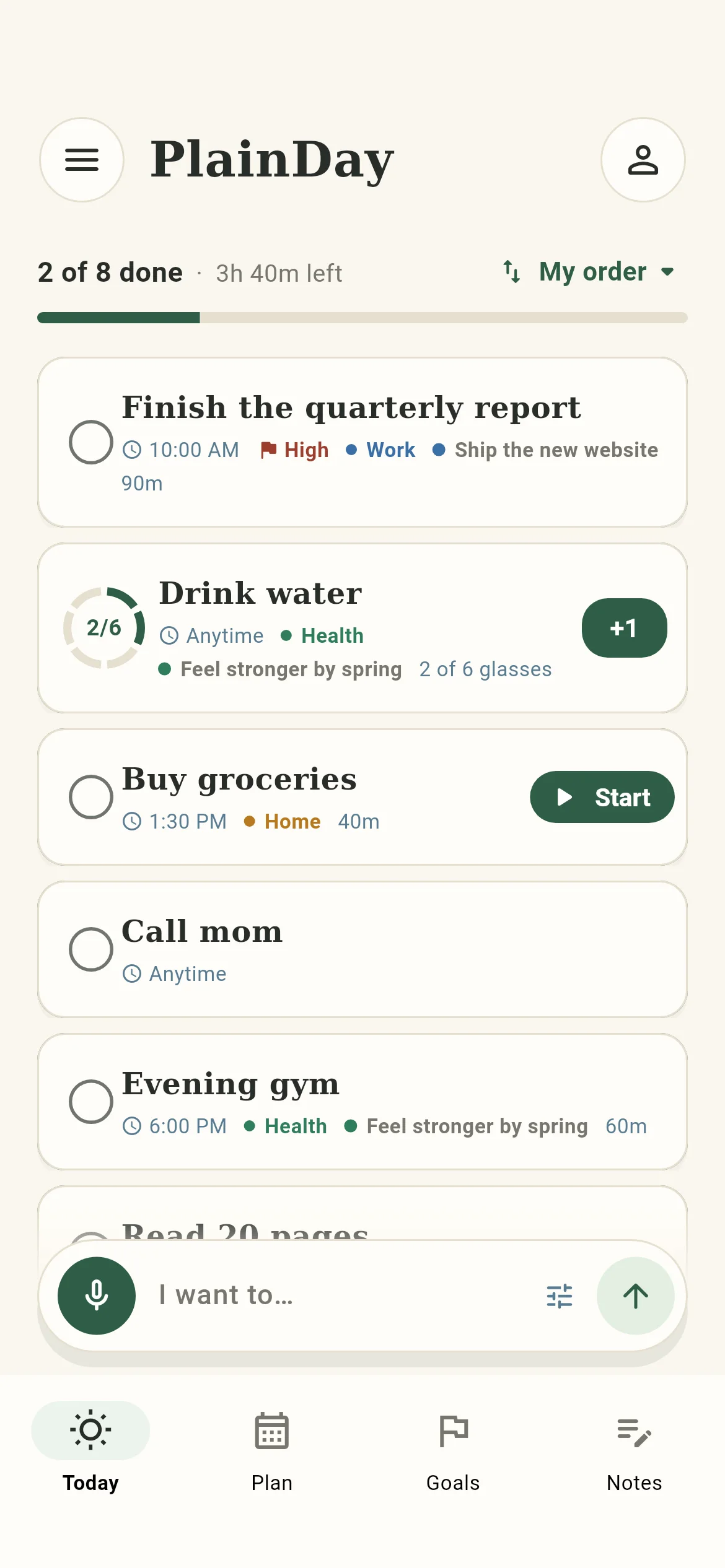
Everything for today sits on a single page, under one line: 2 of 8 done · 3h 40m left. Sort it by time, or hold and drag it into your own order.
09:00
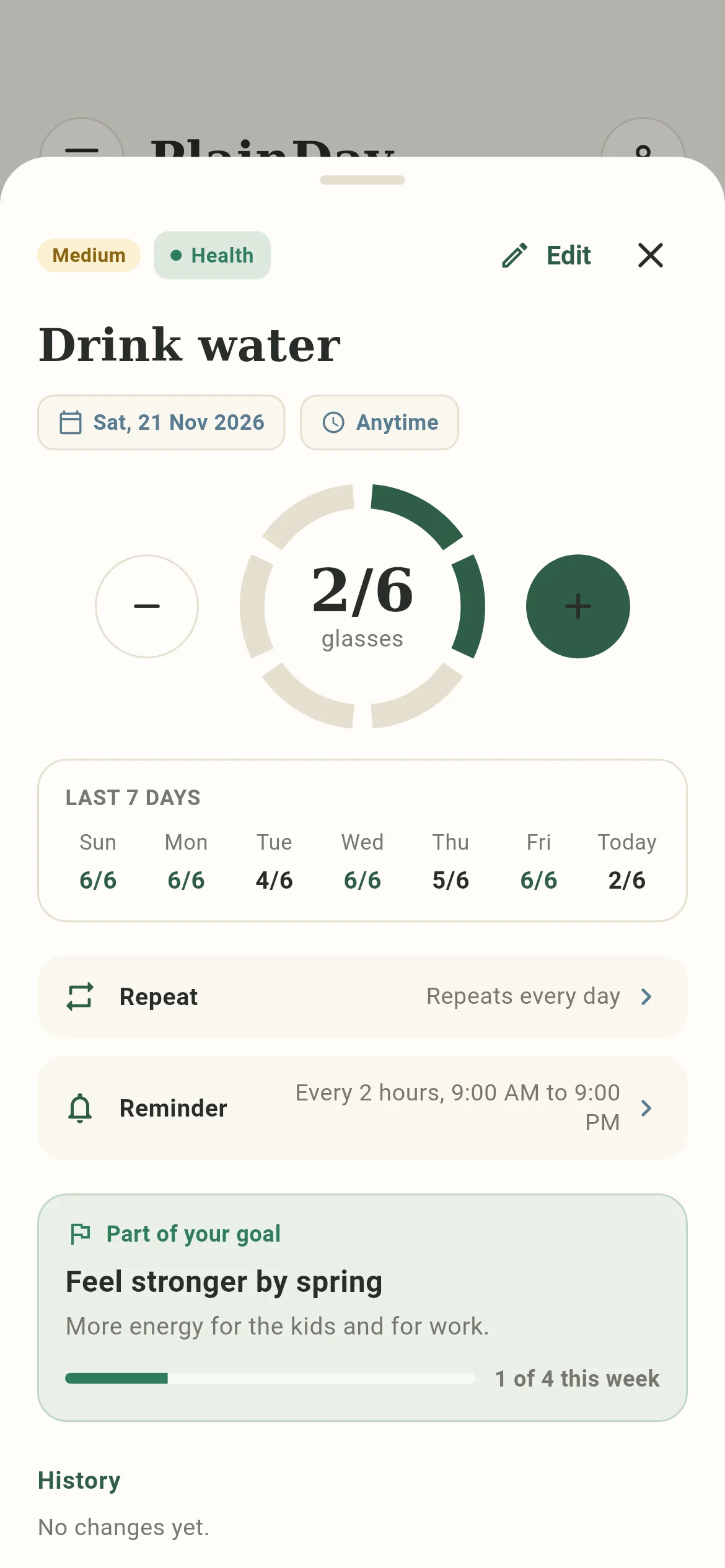
Give a task a count and it grows a ring. Tap +1 each time. The last tap finishes it for the day, and tomorrow it starts again from zero.
11:00
Write a task as a sentence. PlainDay picks out the day, the time, the repeat and the count, and shows you what it understood before you add it.
You type: Gym every Mon, Wed 7am for 1 hour #health
PlainDay adds: GymEvery Mon, Wed07:001 hourHealth
You type: Drink water 6 glasses every day
PlainDay adds: Drink waterEvery day6 glasses
You type: Call mom tomorrow at 3
PlainDay adds: Call momTomorrow15:00
13:00
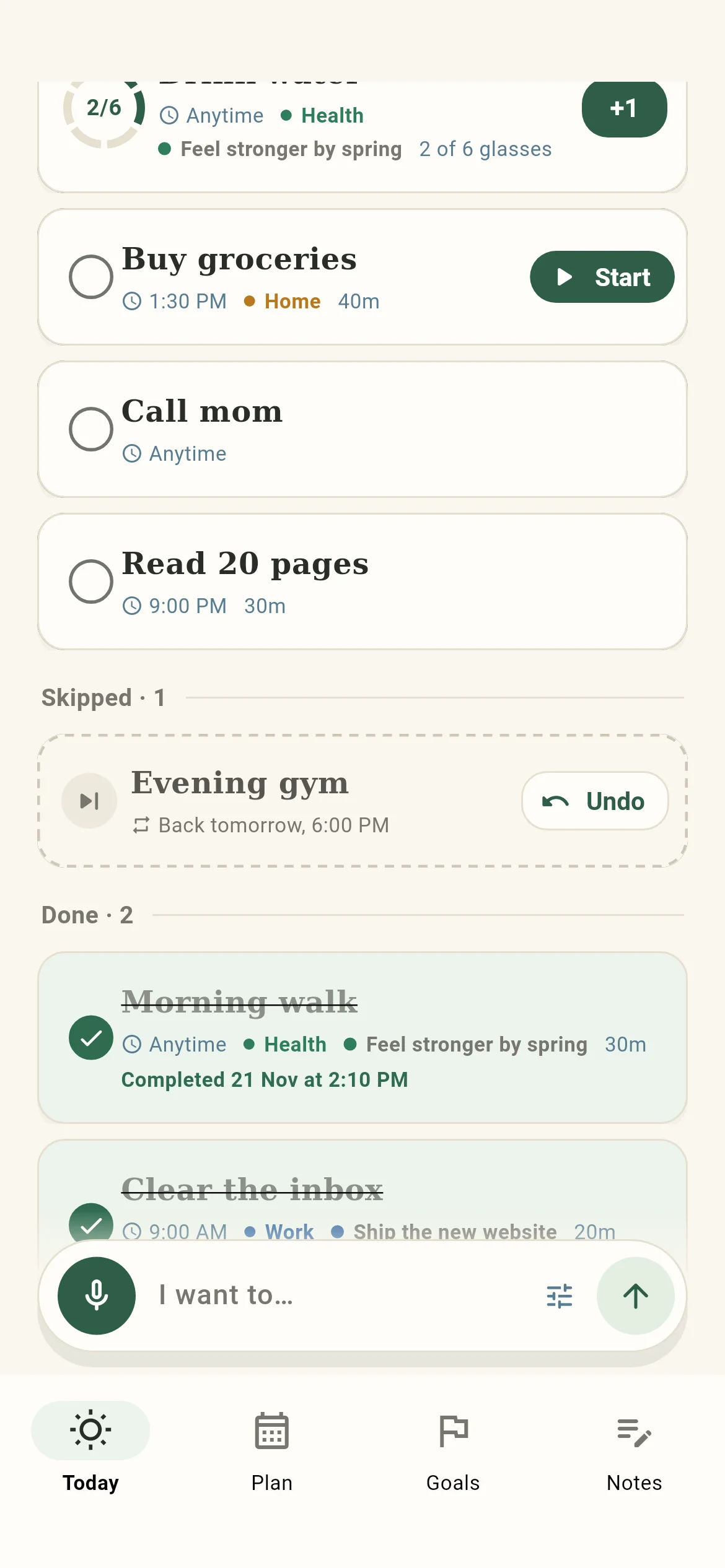
Some days the gym does not happen. Skip it, and it stays on the page under Skipped with an Undo button beside it, not hidden and not nagging.
15:00
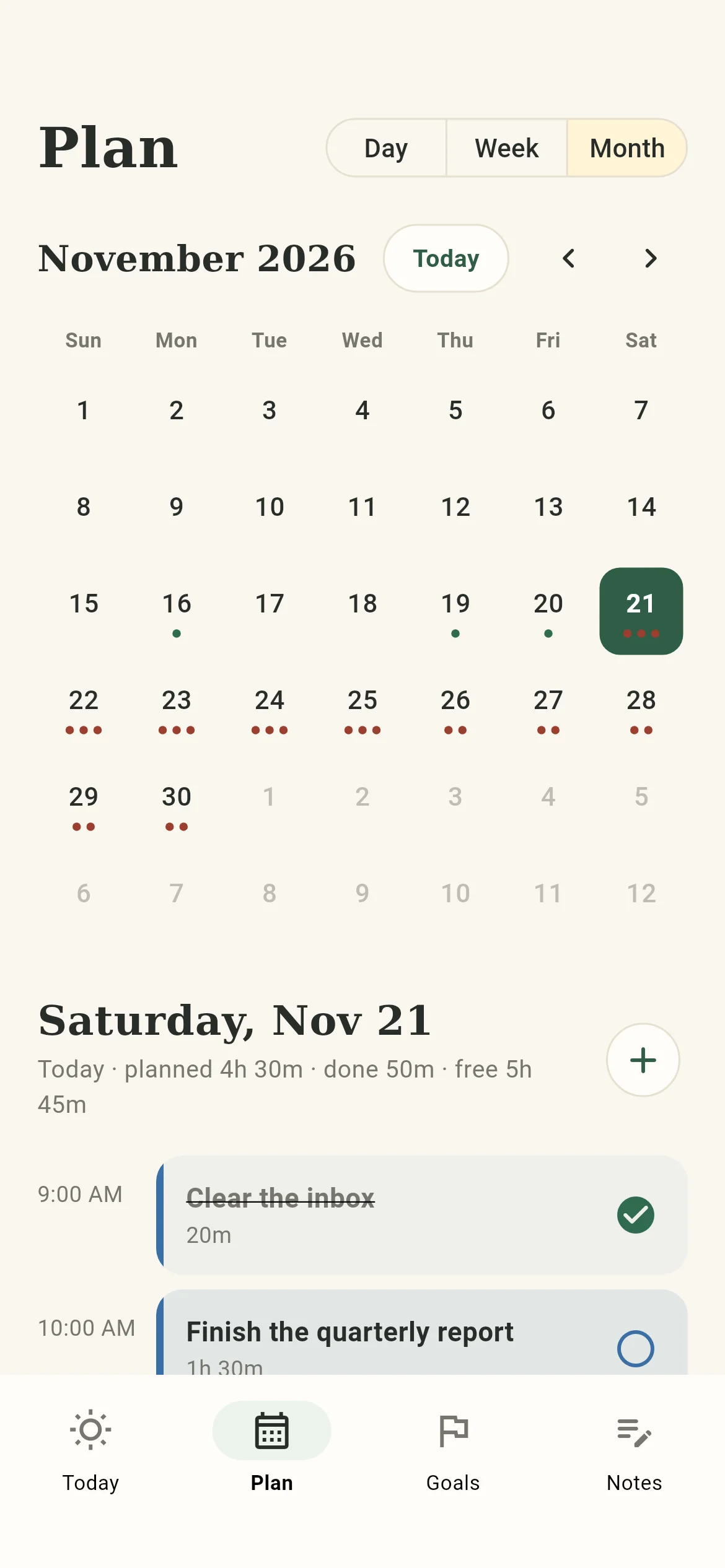
Plan lays the day on a timeline and does the sums for you: time planned, time done so far, and time still free.
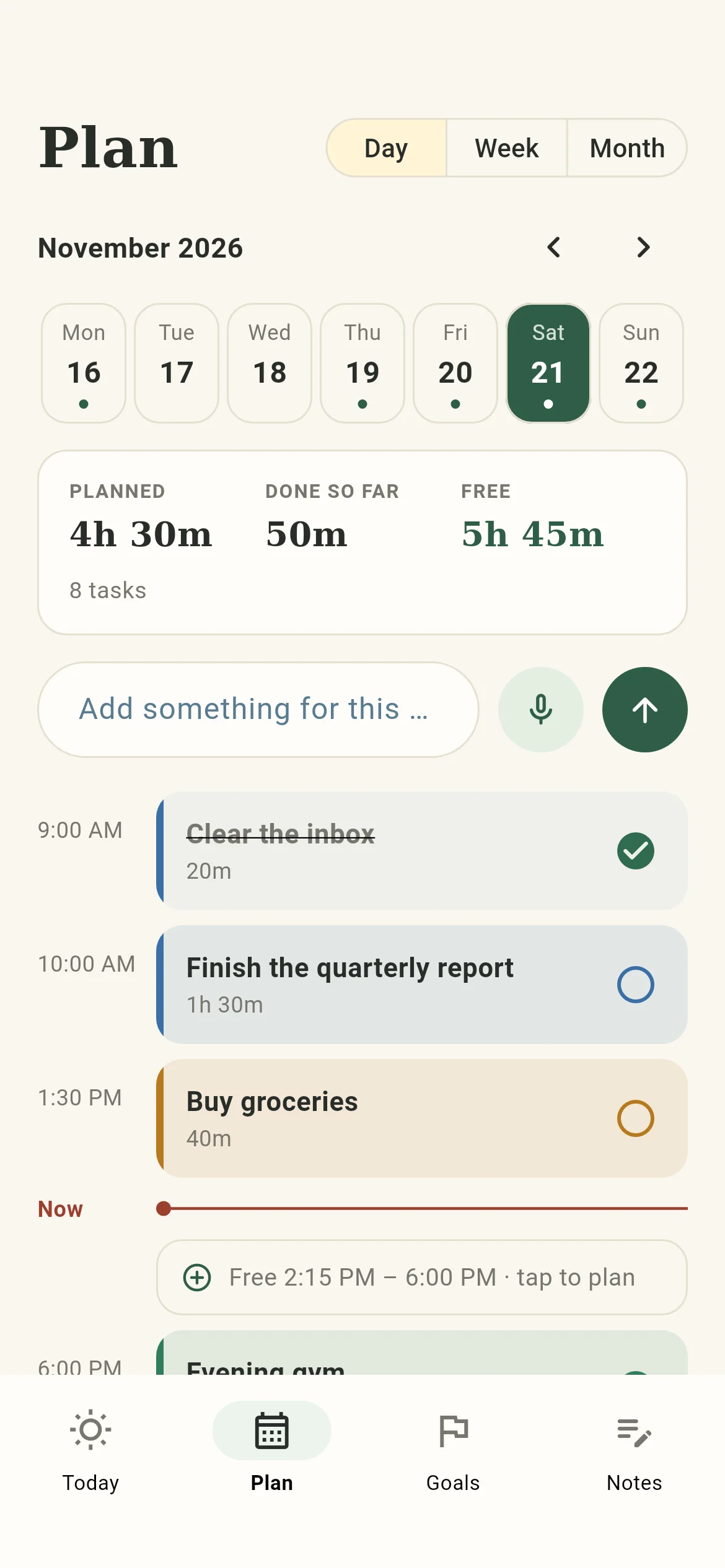
17:00
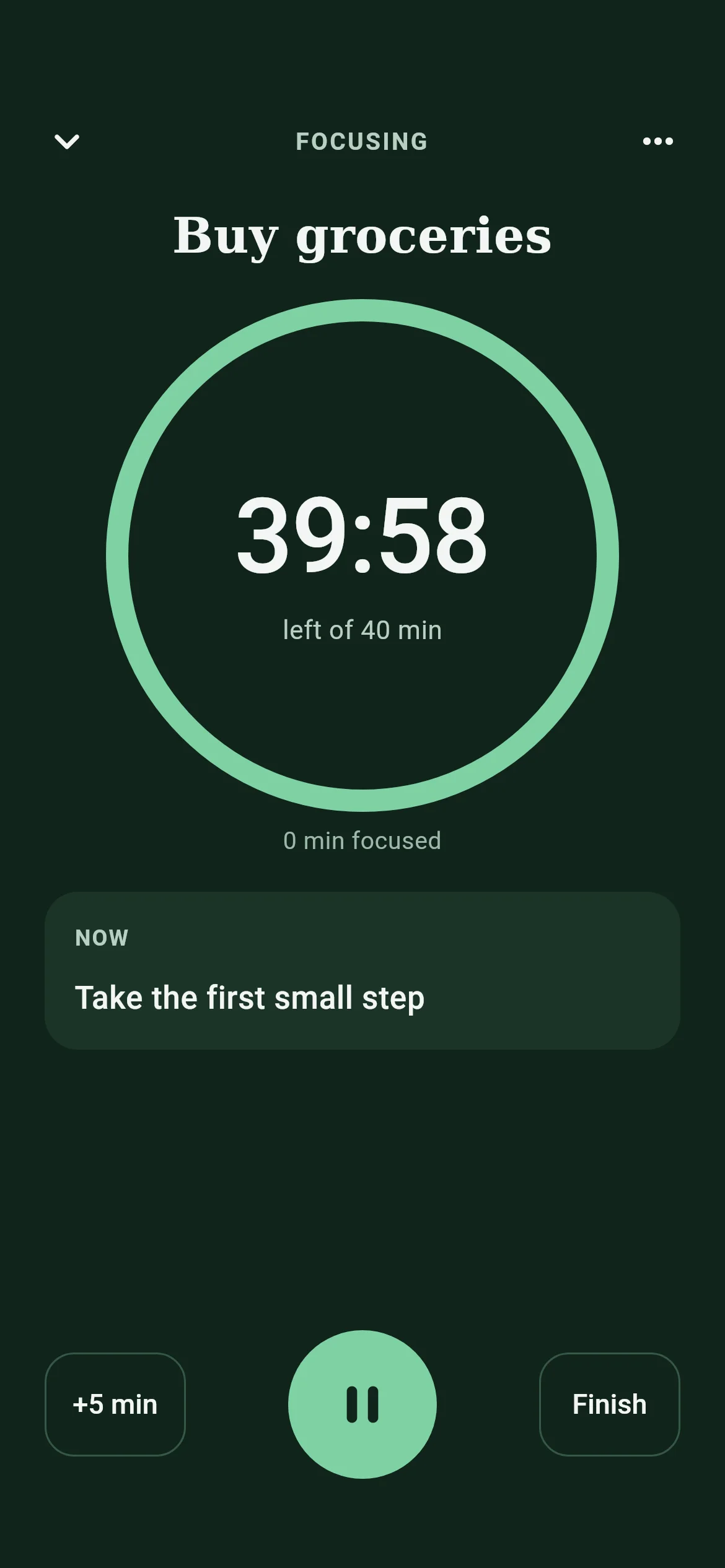
Press Start and the screen goes quiet: one task, one timer. When the time is up, PlainDay asks two things: is it finished, and how did the work feel?
19:00
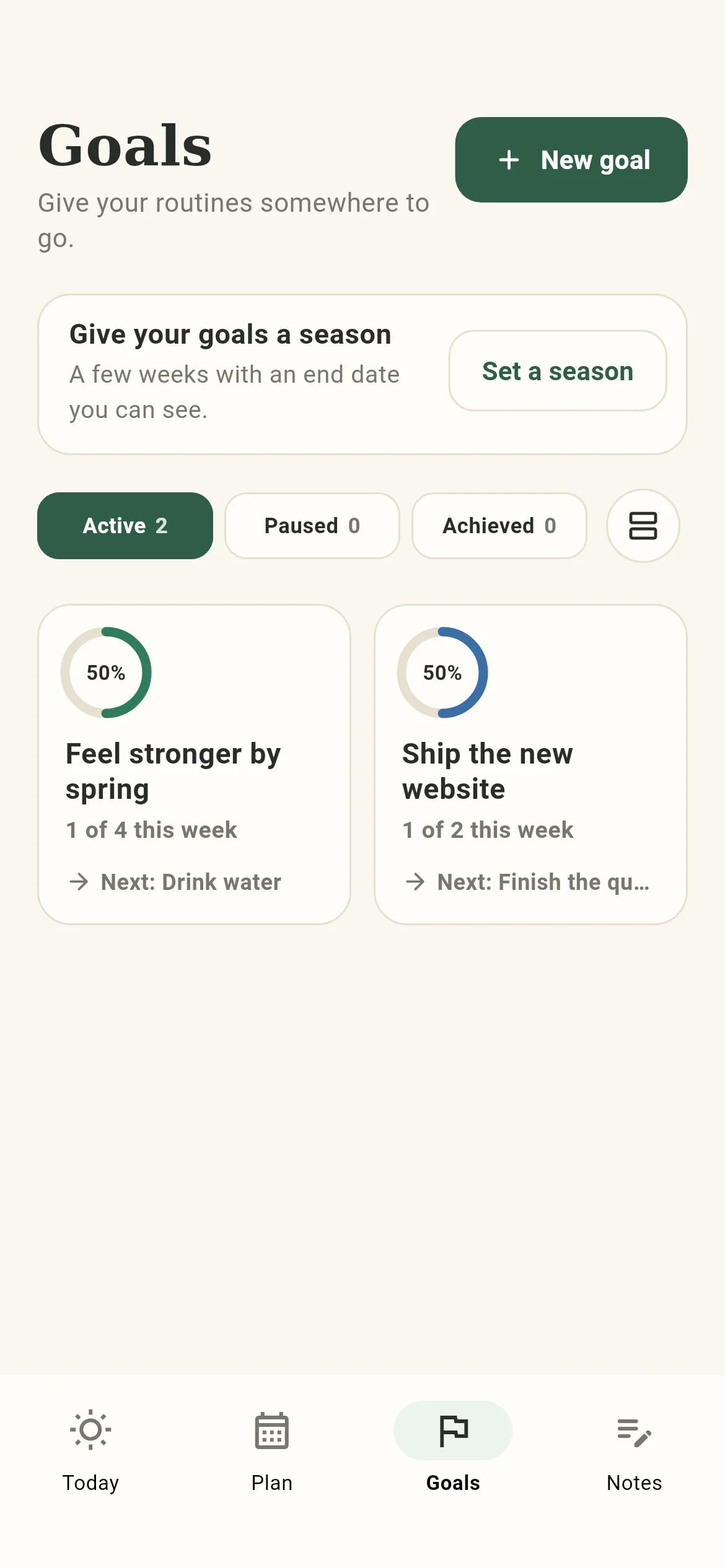
Link tasks and routines to a goal and each goal shows its week: how many of this week’s steps are done, and which one is next.
21:00
Privacy at a glance
A planner holds a lot of your life. Here is plainly what PlainDay does with it.
PlainDay opens straight into your day. Your tasks, goals and notes are kept in a database on your own device.
Sign in only if you want the same list on more than one device. Then your data is also stored on our sync server.
The app has no advertising and no analytics or tracking code. This website has none either, and sets no cookies.
Export your tasks, goals and notes as a JSON file whenever you like.
Questions
Yes. PlainDay is free while it is in beta, and it has no ads.
No. The app works without one and keeps your data on your device. Create an account only if you want your list synced between devices.
On Android 7 or later, and in a web browser on any computer or phone. PlainDay is not on Google Play yet: join the beta and we will send you the Android app.
Yes. Everything is saved on your device first, so you can plan and tick tasks with no connection. If you are signed in, changes sync when you are back online.
Give the task a count, for example 6 glasses. It stays one task with a ring that fills each time you tap +1. The last tap finishes it for the day, and a repeating task starts again from zero the next day.
It moves to a Skipped group on the same page, with an Undo button. A repeating task comes back on its next day. A skip is counted neither as done nor as missed.
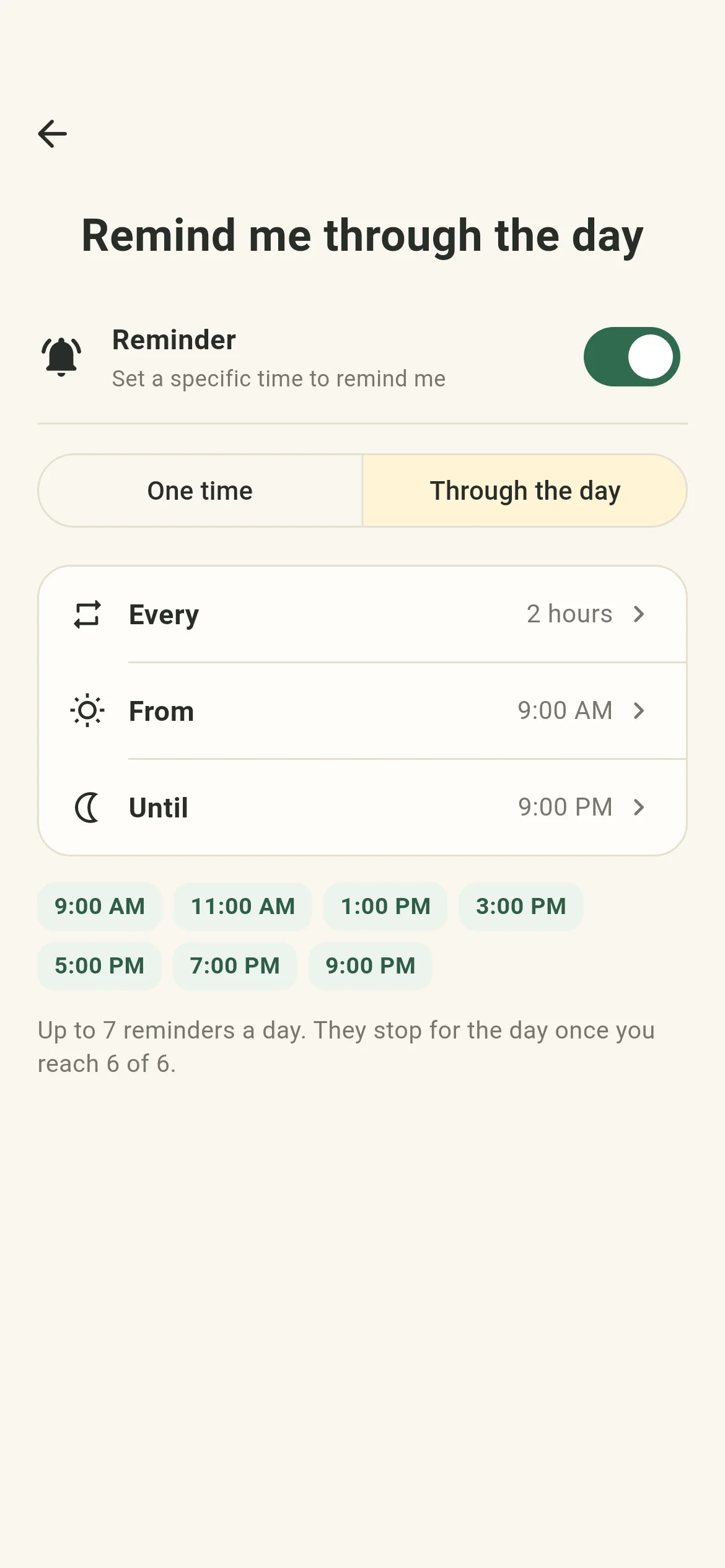
Yes, for a task with a count. Choose how often (every 30 minutes up to every 3 hours) and between which hours. The reminders stop for the day once you reach your number.
Tomorrow morning
PlainDay is not on Google Play yet. Email us the Google account you use on your phone and we will send you the Android app when the test opens. Or open it in your browser right now.
From the blog
Why we built a day planner around one list, what PlainDay does today, and three small ideas in it: counts, honest skips and reminders that stop.